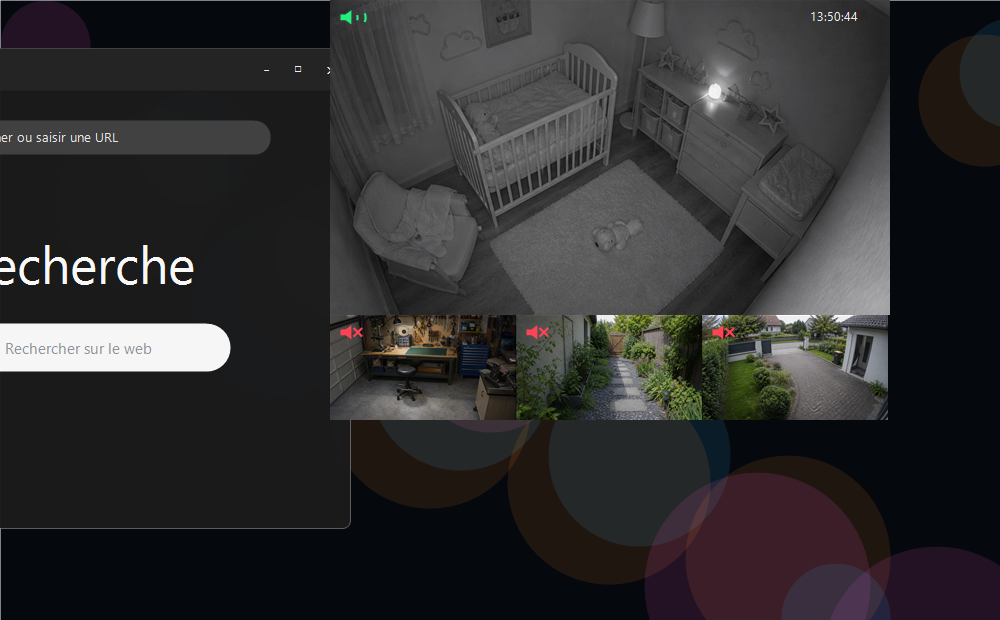
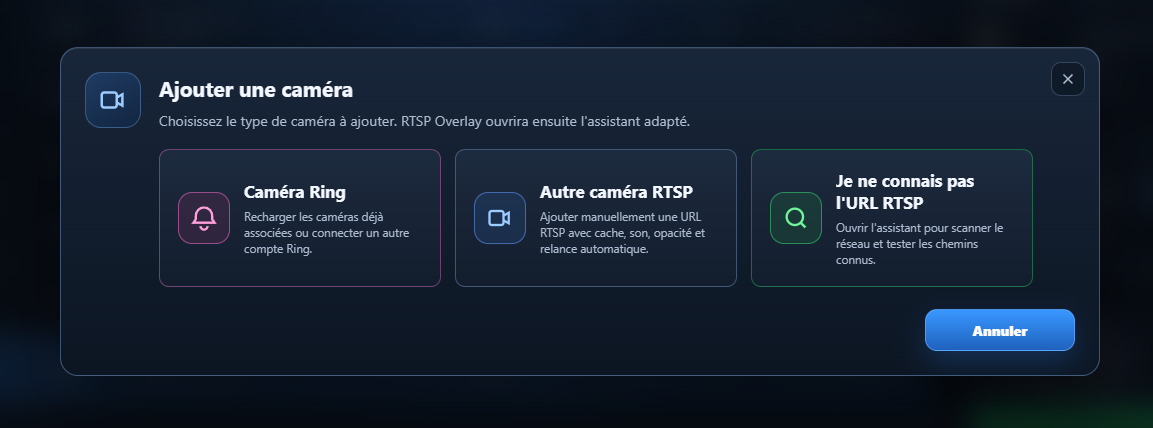
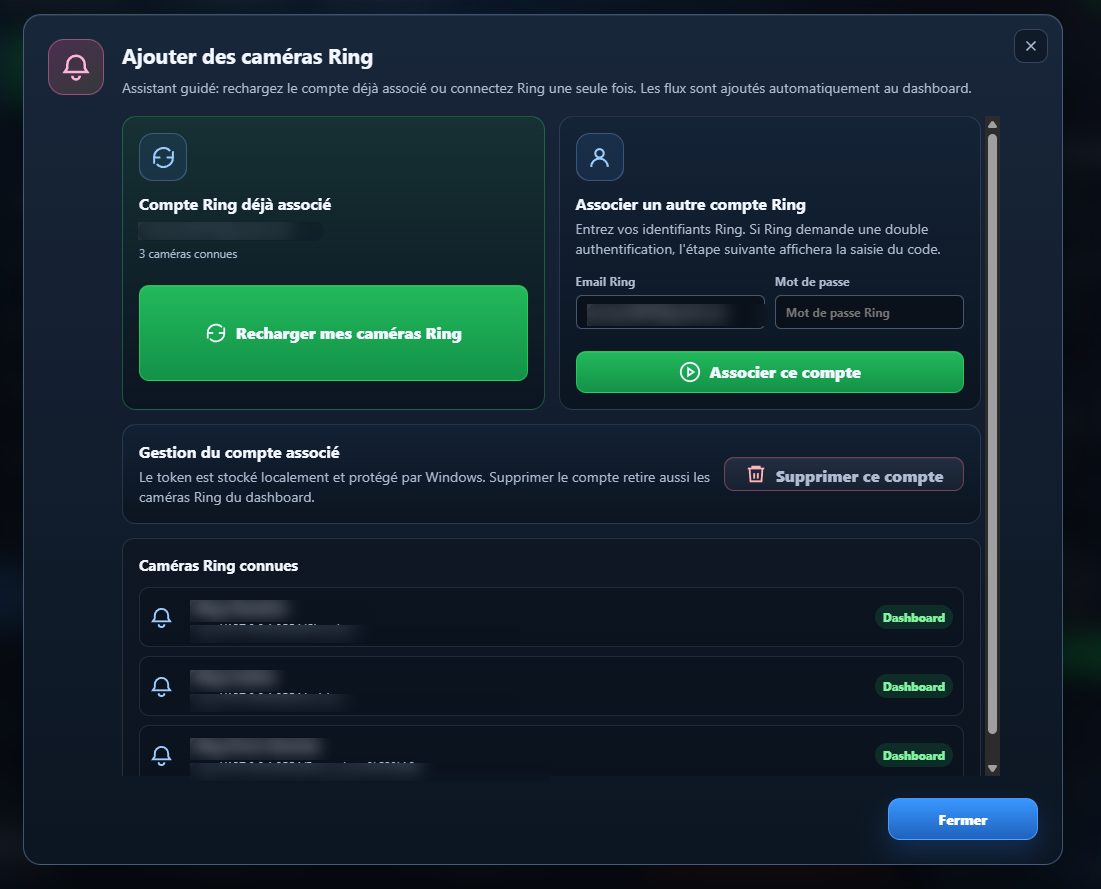
The assistant helps connect a compatible camera and check that it responds correctly.
Pre-launch Windows
RTSP Overlay
Got several different cameras? Watch them together on your PC screen, without getting in the way of what you are doing.
Early Access opens in
10days
00hours
00min
00sec
Full app free for 14 days
Windows 10/11
29 €49 €
Demo vidéo
See RTSP Overlay running in real conditions.
A short demo to understand the value of the app: your cameras stay visible, clean and easy to arrange while you use Windows.
A simple look at the workflow: add a camera, show it on the desktop, then adjust its overlay.
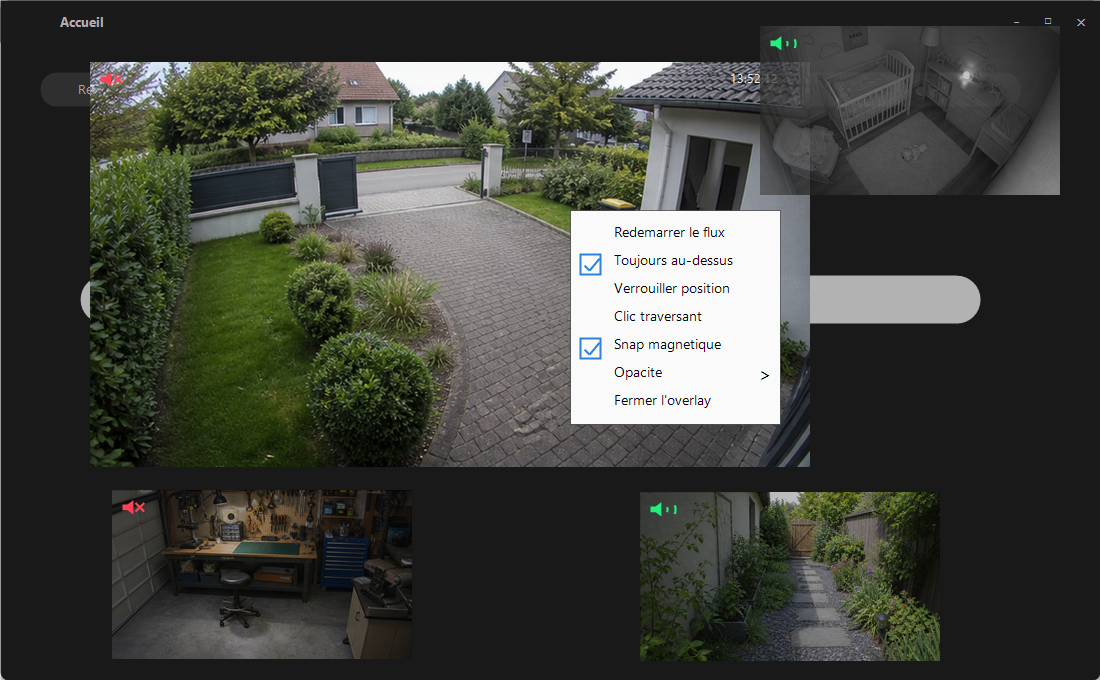
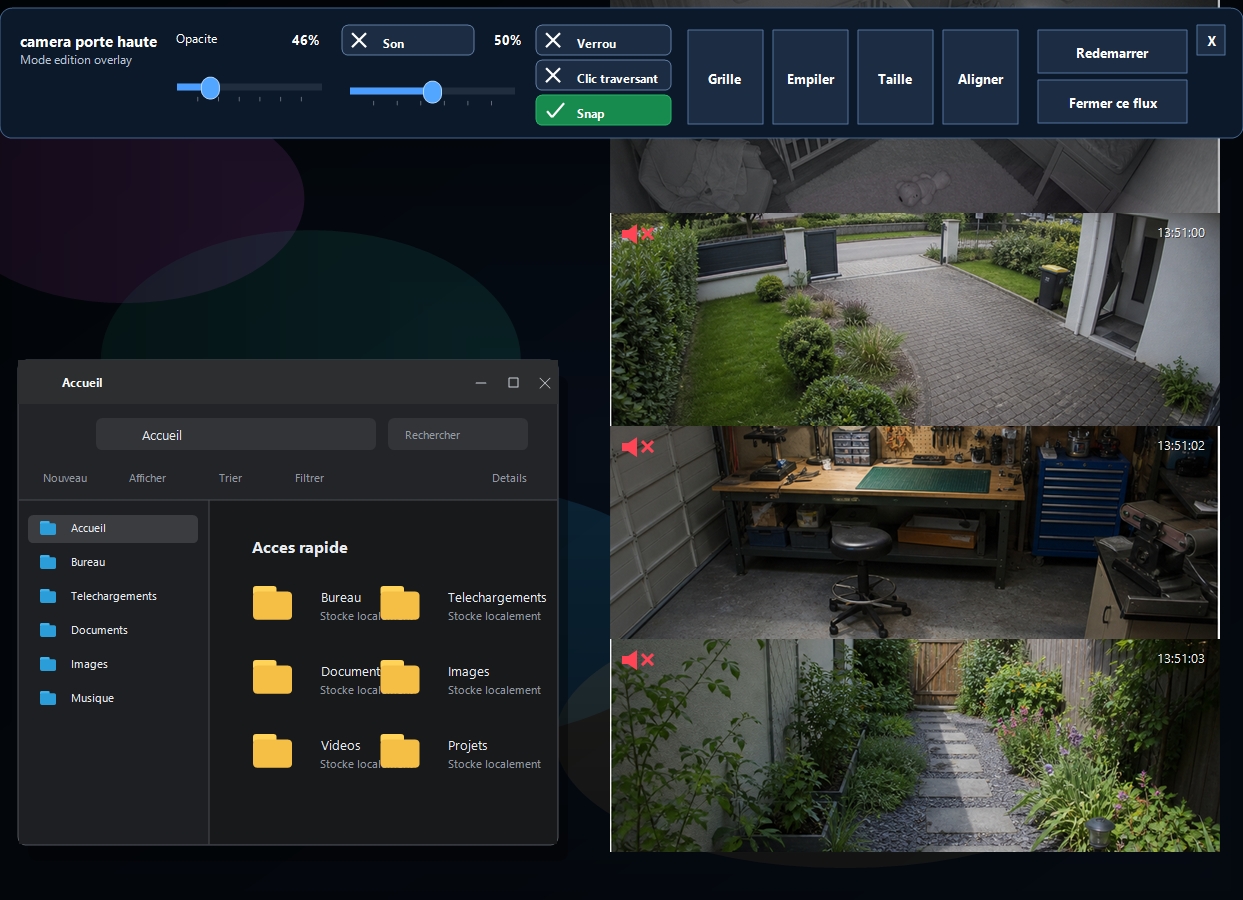
The camera appears in a borderless, adjustable window above your desktop.
Place several cameras, adjust audio and opacity, then keep your layout for later.
Text summary of the demo
The video shows RTSP Overlay on Windows: adding a camera, displaying it as an overlay, using quick settings and arranging camera.
Launch is coming
Try RTSP Overlay with your own cameras.
For 14 days, you can test the full app on your PC. You will quickly see whether your cameras display properly and whether the workflow fits you.
Windows 10/11
Launch price
29 €
49 €
Get the launch link
One email at launch, with the full 14-day trial and the 29 euro launch price.
Your email is only used to notify you about the launch. You can unsubscribe at any time.
Real use
Your cameras stay visible without taking over your screen.

Inside the app
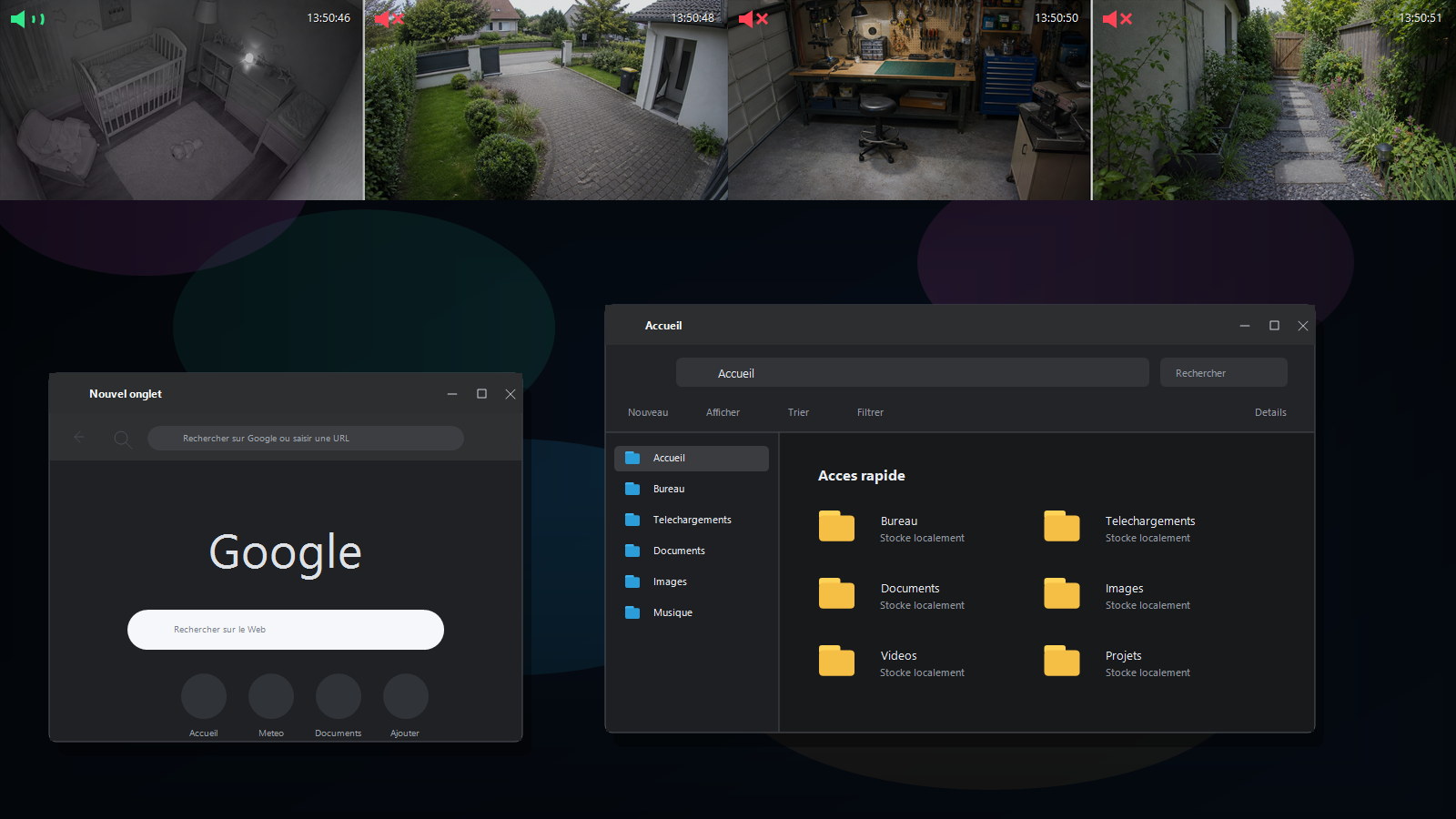
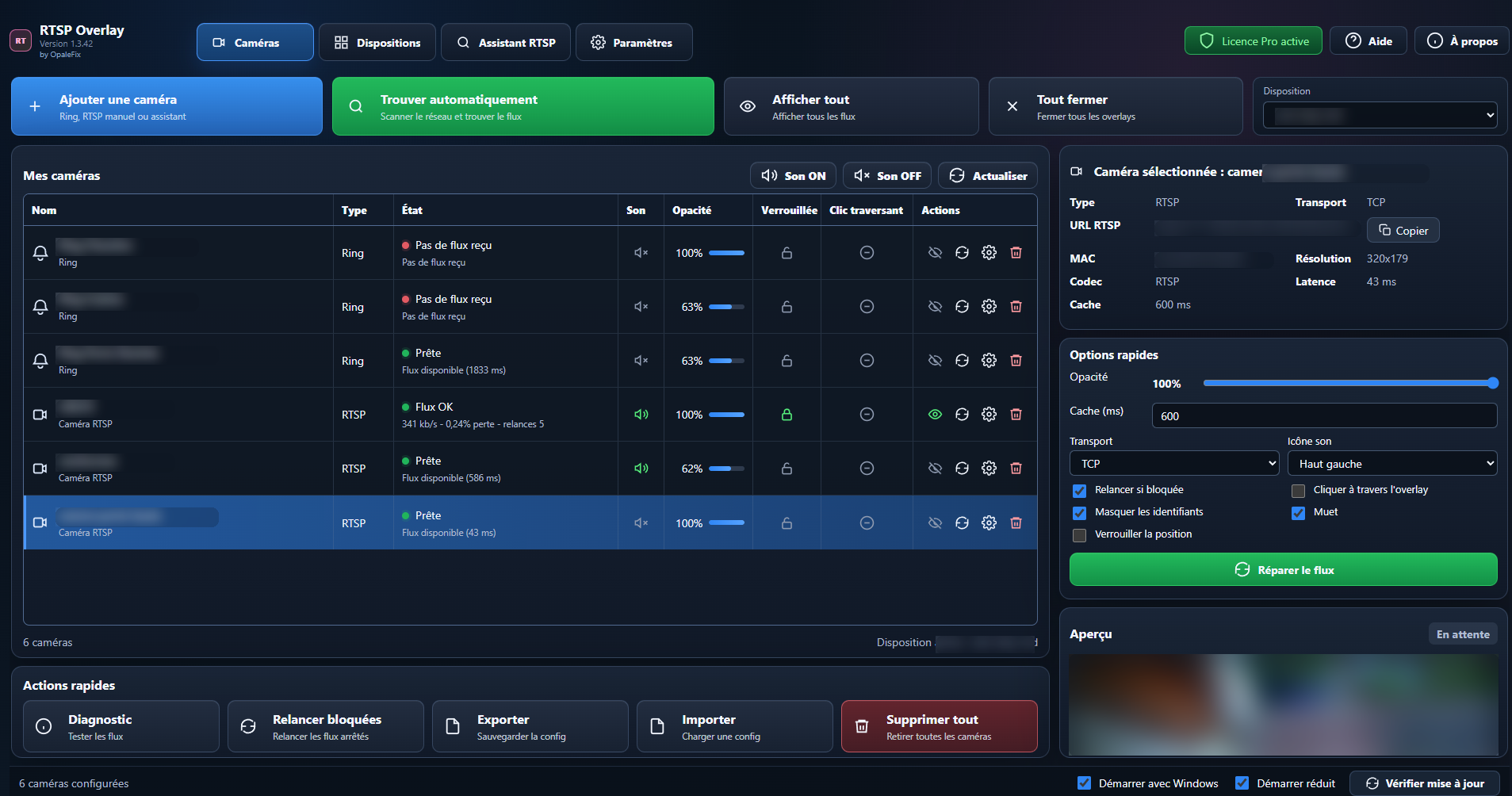
Add your cameras, check that they respond, then display them in a few clicks.
Who it is for ?
For the moments when a camera needs to stay visible without taking all the space.
At home
Keep an eye on the entrance, gate, garage or an important room while you use your computer.
In a shop
Watch a checkout, door or stock room without keeping a huge camera page open.
In a workshop
Watch a machine, 3D printer or delivery while you continue working.
Simple every day
The app mainly does one thing: make your cameras easier to use on Windows.
Clean small windows
Display one or more cameras in discreet windows, without unnecessary borders.
Always on top
The camera stays visible even when you open another app.
Saved views
Arrange your layout once, then bring it back easily.
Audio under control
Turn camera audio on, off or adjust it depending on what you need.
How it works
A trial designed to help you check simply whether the app is right for you.
Get the link
Enter your email and receive the download link at launch.
Try your cameras
Add one important camera and check the result on your PC.
Keep your views
Place your windows, adjust audio and return to your layout whenever you want.
Technical details, in one place
For those who want to know what is behind it.
RTSP Overlay is a local Windows app. It displays RTSP-compatible cameras, and can help with some Ring cameras via go2rtc. Images from your local RTSP cameras do not go through an OpaleFix server. Ring may depend on Ring services. RTSP Overlay is not an alarm system, video recorder or certified monitoring solution.
Launch offer
29 euros at launch, instead of 49 euros later.
Limited launch price
RTSP Overlay license
29 € 49 €
1 year of updates included
- Full free trial for 14 days when access opens
- Local Windows app to display your cameras in small windows
- License valid after the trial, with 1 year of updates included
You do not need to buy before testing the app with your own cameras.
Simple questions
What to know before launch.
Do I need to know about cameras?
Not to get started. The app is designed so you can add a camera and quickly see whether it works. More technical settings remain available if needed.
Is the 14-day trial complete?
Yes. The goal is to test the real app, with your own cameras, before paying.
Is it compatible with every camera?
No, and that is exactly why the trial exists. You check it on your PC, with your cameras, without commitment.
Does RTSP Overlay replace an alarm?
No. RTSP Overlay is for displaying cameras on your screen. It is not an alarm or monitoring system.