
Windows guide
Camera overlay for Windows: keep your cameras always visible
A camera overlay keeps a video view in the corner of your screen while you keep using your PC normally. It is useful for an entrance, driveway, workshop, pet, 3D printer or any camera you want to keep in sight without opening a full dashboard.
Why a normal camera window is not always enough
A camera opened in a browser, VLC or surveillance app can work, but it often ends up hidden behind other windows. You resize it, move it, bring it back to the front, then repeat the same thing later.
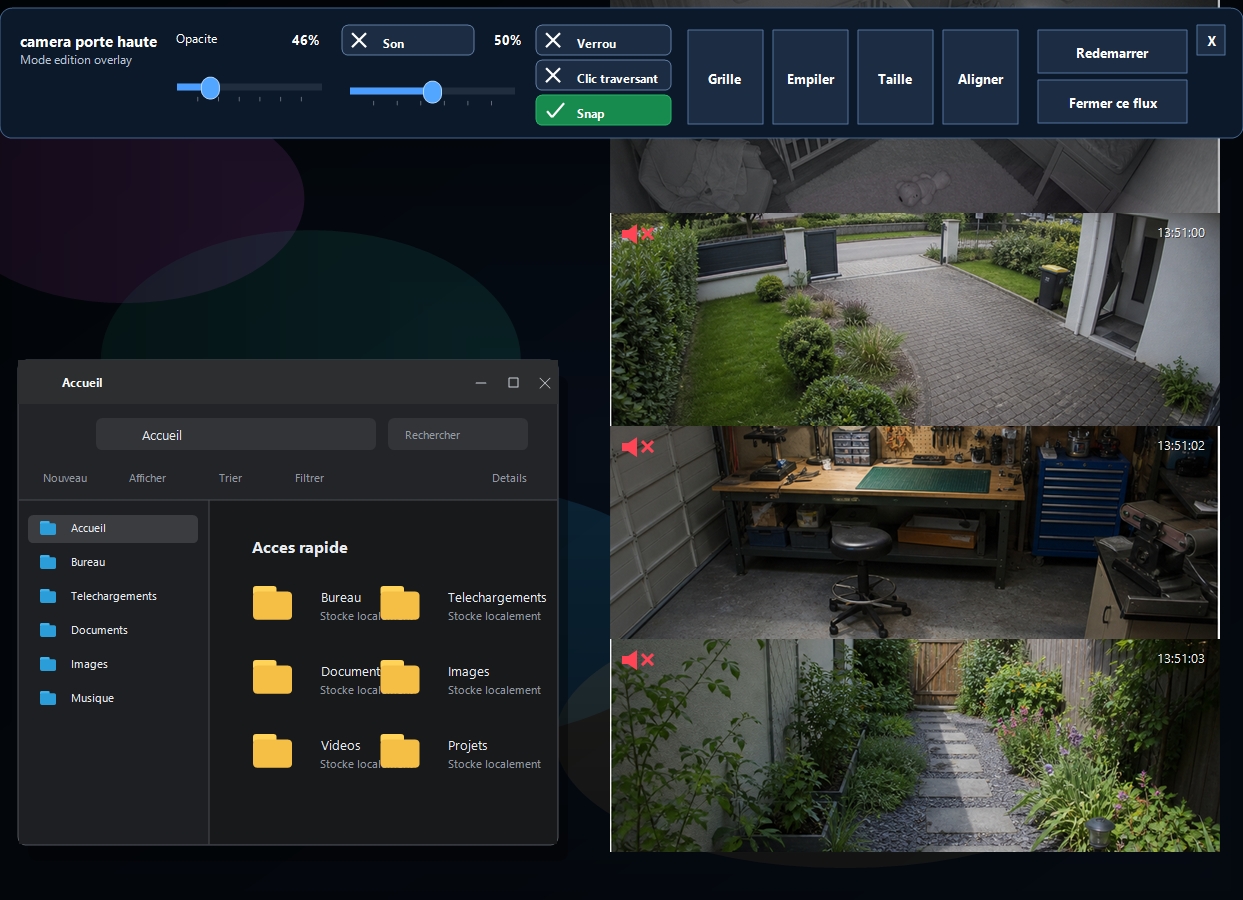
A camera overlay is designed for daily use: a clean borderless window, placed where you want, that stays visible above the Windows desktop.
What a good camera overlay should offer
- Always on top: the camera stays visible when you open a browser, spreadsheet or work app.
- Adjustable opacity: the window can stay present without completely hiding what is behind it.
- Lockable position: once placed, the overlay does not move by accident.
- Click-through: keep the camera visible while clicking in the app behind it.
- Saved layouts: restore a column, strip or grid view more easily.
What is it useful for?
The most common use case is not replacing a surveillance system. It is keeping one or a few important cameras visible while doing something else: working, answering messages, following a 3D print, watching for a delivery or keeping an entrance in sight.
What RTSP Overlay does
RTSP Overlay is a local Windows app made to display compatible cameras in clean floating windows. You can adjust opacity, audio, position, locking and layouts. The goal is simple: your cameras stay visible without taking over the screen.
Limits to know
An overlay is not an alarm, a video recorder or a certified monitoring system. Compatibility depends on your cameras, network and available streams. That is why RTSP Overlay plans a full 14-day trial at launch.